
Half-Life
Custom Maps
Art
Museum
Temple
Revenant
Meatpit
Storm
Vale
GE
Basement
GE Temple
Hypersanctum
Battleschool
by
Hayt & Jinx
Noir
by
DQ
Sealed
by
3DMike
____________
Half-Life
2
Custom Maps
Upscale
1%
done
Ramparts
20%
done
Creating 2D Fog
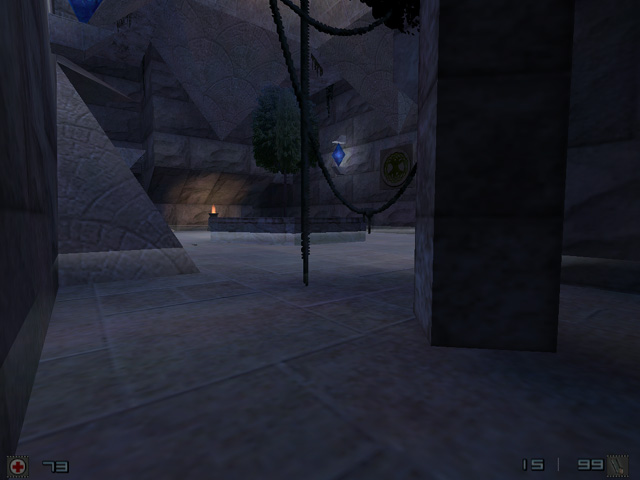
low-lying fog
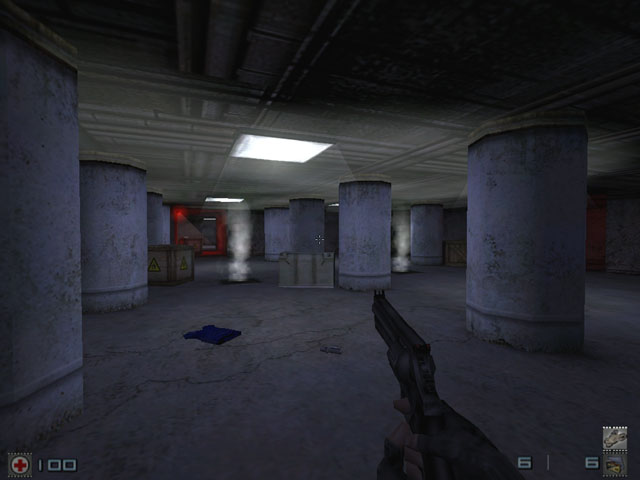
This lets you create either low-lying fog or a steamy haze floating just below the ceiling. It is an interesting application of the special sprites discussed in the other tutorial. It's pretty simple, really. You just use a Fixed-Direction Sprite (03), set to face either up or down. Then you set whatever density, scale, etc. you want.
Here are the env_sprite attributes I used in Temple for its low-lying fog effect:
Render Mode: Additive
FX Amount: 40
Scale: 30
Obviously the scale you use will vary on the size of the effect you desire. For low-lying fog set the "angle" to Down; for ceiling fog set it to Up.
Need a sprite? Use this one. It's the one I use in both examples. It is just one frame from the HL ballsmoke sprite, set to be fixed-direction.
One warning: VIS determines whether the sprite is drawn based on whether it can 'see' its focal point, the actual point entity. This means that if you have a wide fog effect the edges of it may be 'visible' before the entity point is. Since the fog won't be drawn until you can see the entity, it may "pop in" on you later than it should as you approach the area. So this is a limitation.
Hopefully this gets your wheels turning - I'm sure there are probably some other clever uses for these sprites that I haven't thought of yet!
If you use this idea, please credit me in your readme! It's one of the best things I have come up with and I would really like the credit for it!!
floating ceiling fog
Resources
for
mappers
Tutorials
Textures,
Sounds,
& Sprites
Resource
Links
Misc
Files
Map
Ideas
MIA AHL Maps
Proto-Maps
Contact
Info